Light, color and detail
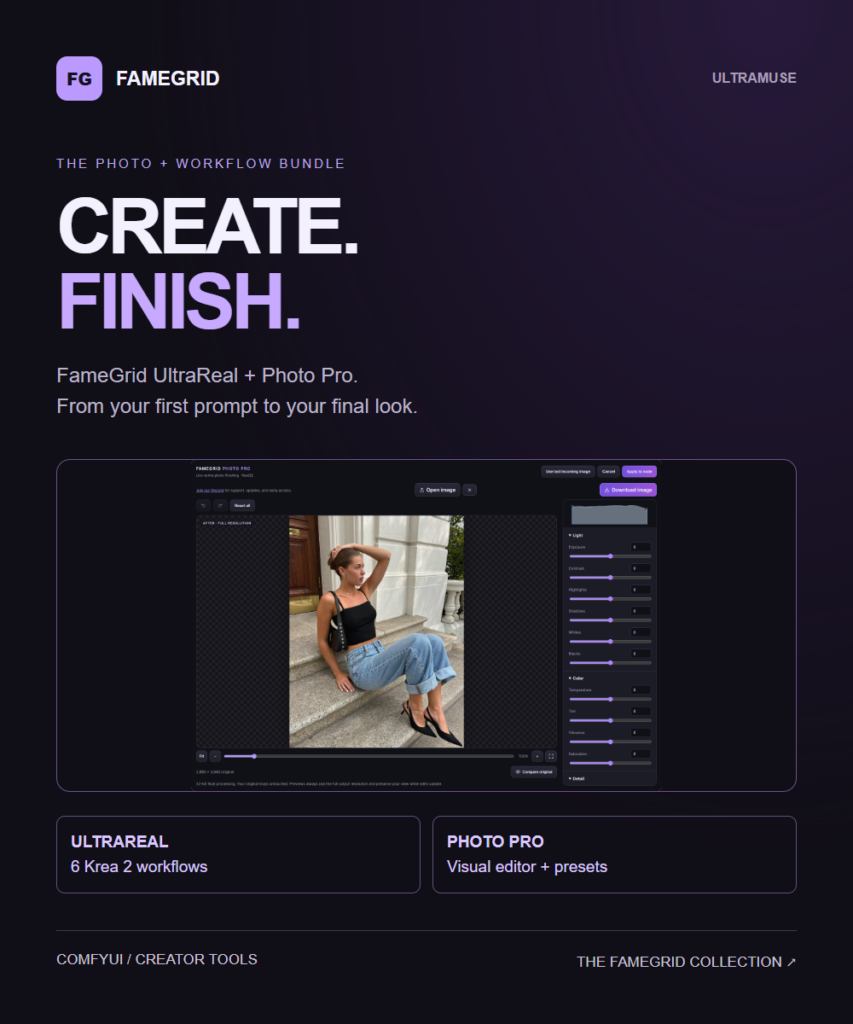
Balance exposure, contrast, highlights, shadows, whites and blacks. Shape temperature, tint, vibrance and saturation. Adjust texture, clarity, dehaze, sharpening and grain, including advanced RL deconvolution sharpening.
 UltraMuseCREATOR STORE
TOOLS / FAMEGRID
A visual photo finishing node for ComfyUI. Shape light, color, detail and skin tone with full-resolution previews, then save the look in your workflow.
One-time purchase · Direct download · No Discord required to buy
WATCH THE WALKTHROUGH
Follow the actual editor, apply settings to the node, and see the before-and-after comparison.
YOUR IMAGE, YOUR LOOK
Balance exposure, contrast, highlights, shadows, whites and blacks. Shape temperature, tint, vibrance and saturation. Adjust texture, clarity, dehaze, sharpening and grain, including advanced RL deconvolution sharpening.
Control hue, saturation and lightness for reds, oranges, yellows, greens, aquas, blues, purples and magentas.
Adjust skin hue, saturation and lightness through a feathered color-and-area selection. Show the selection mask to refine what is affected. This is not automatic skin recognition: similar-colored clothes or backgrounds inside the selected area can be affected.
Zoom, pan and compare with the original. Edits start from the original incoming image rather than compounding previous adjustments.
Includes Crispy, Natural, Soft Portrait, Warm Film and Cool Editorial. Save your own presets, export JSON backups and import shared looks. Crispy uses advanced RL deconvolution sharpening at amount 60.
HOW IT WORKS
The node works with ordinary photos and generated images; it is not restricted to Krea 2. Photo Pro itself needs no API key or generation credits.
YOUR DOWNLOAD
Includes the ComfyUI custom node, compiled editor, Photo Pro Save node, five preset JSON files, example workflow and installation instructions.
Processing uses float32. The included Photo Pro Save node supports PNG 8/16-bit and TIFF 8/16/32-bit float; JPEG/WebP are 8-bit. Standard ComfyUI Save Image retains its own format and depth limits.
REQUIREMENTS
Requires ComfyUI, the node’s Python dependencies and a separate RawTherapee 5.13 CLI installation on the computer running ComfyUI. Installing the node does not install RawTherapee. Windows is validated; Linux/macOS runtime validation remains pending.
Custom presets are stored in the browser for this ComfyUI address. Export JSON backups before clearing browser data. Model weights and RawTherapee are not included.
SUPPORT & UPDATES
Join the FameGrid Discord for support, updates and early access.
THE COMPLETE PAIRING
Photo Pro is $5.99 and UltraReal is $12.99 separately. Get both for $14.99.
TAKE A CLOSER LOOK
YOUR NEXT CREATIVE STEP
A visual photo finishing node for ComfyUI. Shape light, color, detail and skin tone with full-resolution previews, then save the look in your workflow.
Pay securely with Stripe. Apply Discord points at checkout: 100 points = $1.
Download from your order page after payment. Questions? Email us.
KEEP THE IDEAS GOING
A few more tools
for your next project.
Kits / ComfyUI + Krea 2
Get UltraReal and Photo Pro together: six organized Krea 2 workflows plus the visual photo editor and presets. Save…